Zen Shield focus timer
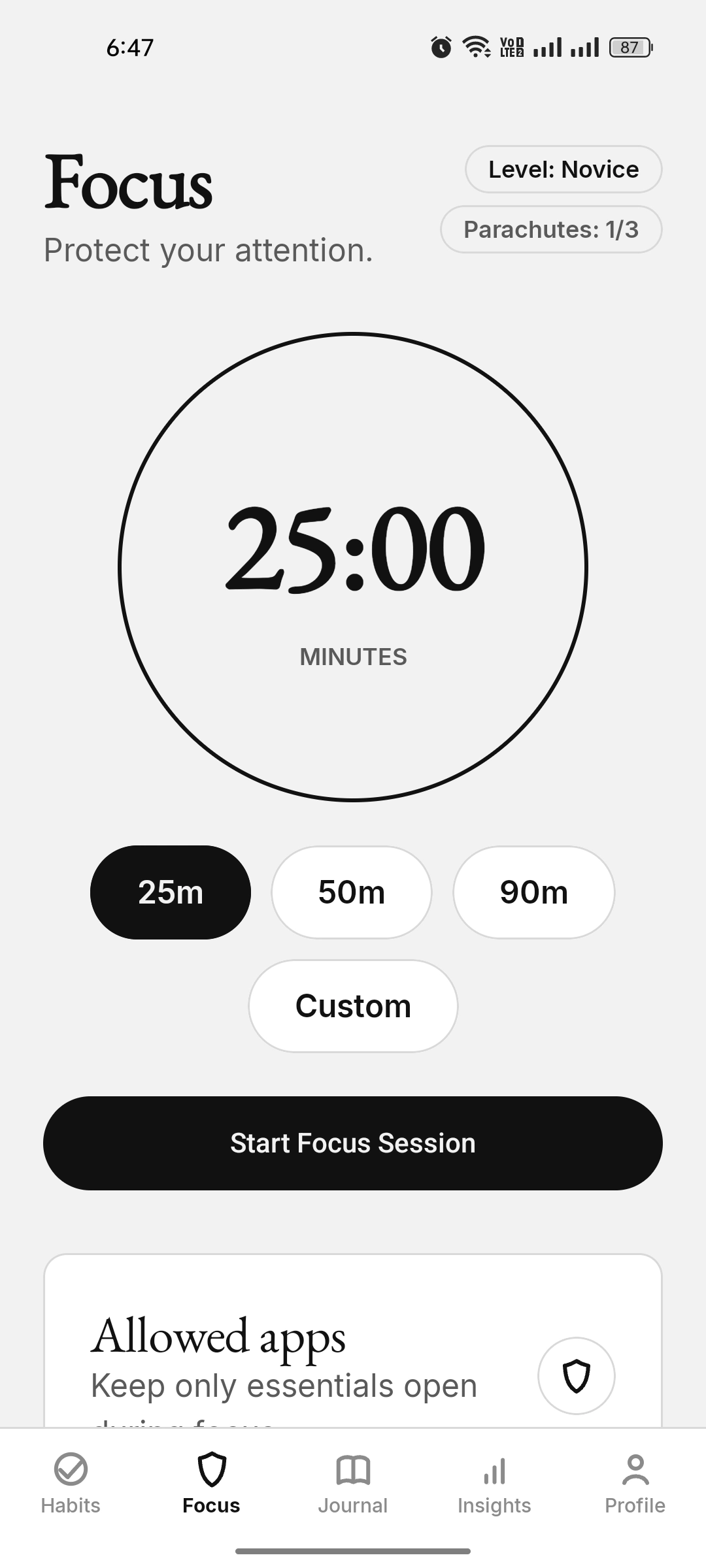
Pick a duration and start a full-screen Focus Space with a live countdown and a blocked-attempt counter. Works like a screen time lock.
Zen Shield is KaiZenly+’s built-in Android app blocker and focus timer. Start a timed Zen Shield focus session and distracting apps are blocked, while essential apps like Phone, Messaging/SMS, WhatsApp, Gmail, Outlook, Google Keep, AI/productivity tools, and major banking/payment apps can stay available where installed. You can also schedule focus windows and bedtime mode so protection starts automatically. The allowed app flow uses real installed app icons and practical categories, so essentials are easier to recognize. During an active session, KaiZenly+ itself can still be used for Habits and Journal, while the Focus tab stays dimmed so the session controls remain on the focus wall.
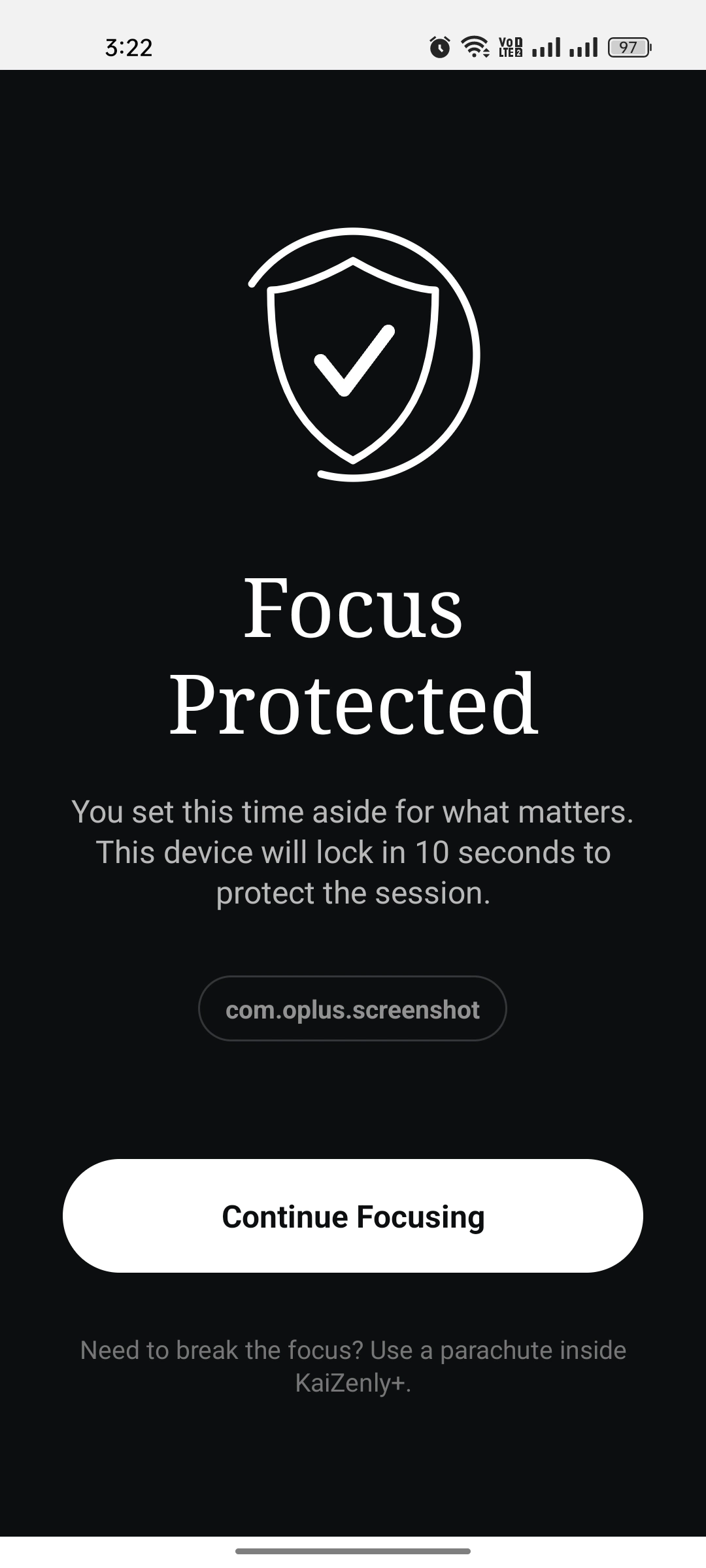
Pick a duration and start a full-screen Focus Space with a live countdown and a blocked-attempt counter. Works like a screen time lock.
A focus session should protect attention without blocking the routine app itself. Habits, Journal, Insights, and Profile can stay usable during an active session, while the Focus tab is dimmed and session controls stay on the focus wall.
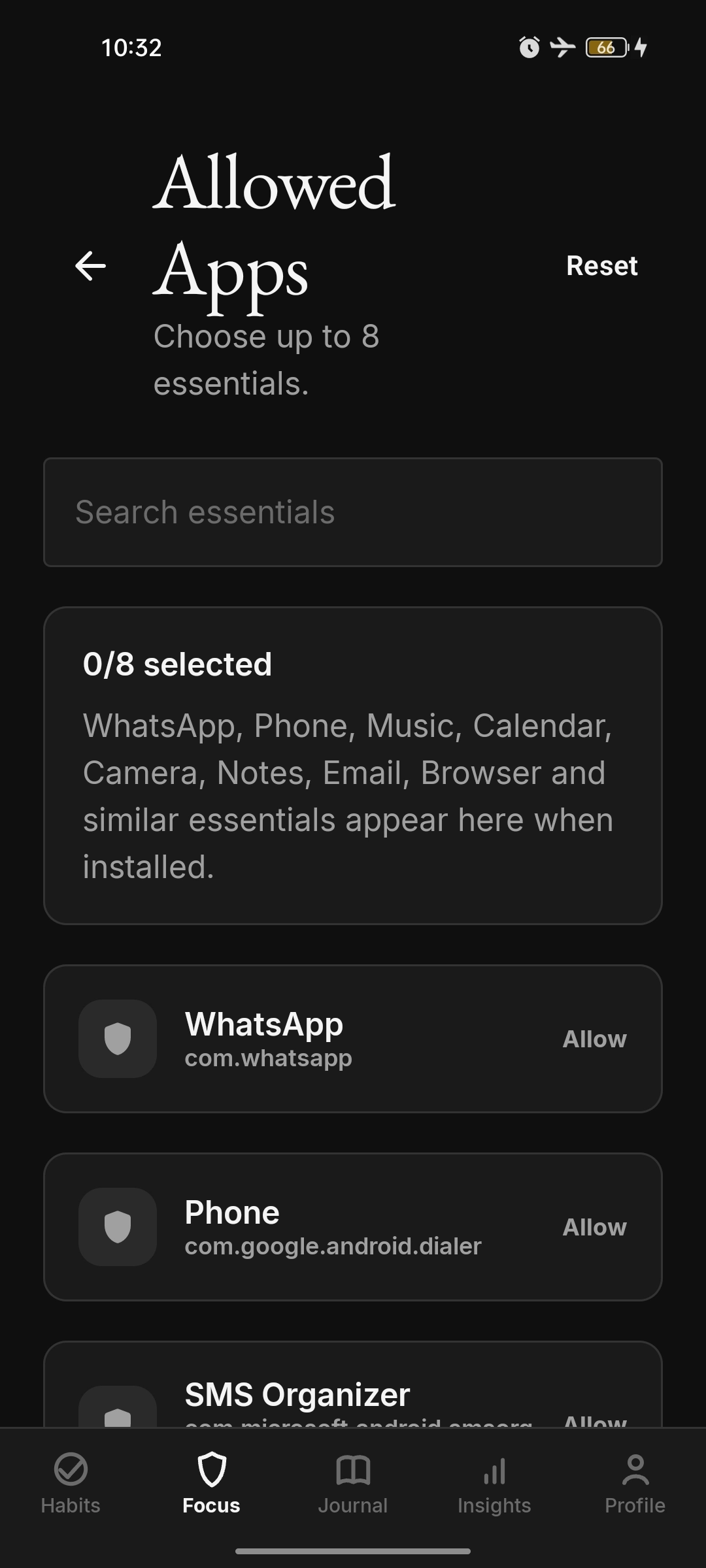
Keep up to 8 installed approved essentials usable while everything else is blocked: Phone, Messaging/SMS, WhatsApp, Gmail, Outlook, Google Keep, AI/productivity tools, and major banking/payment apps.
The allowed-app picker can show installed apps with their real icons and category grouping, so choosing essentials feels visual instead of technical.
If your essential banking or productivity app is missing, request it from inside the app. Major banking and payment apps across regions are supported where installed, without turning the allow-list into a social or streaming loophole.
Open a blocked app and a full-screen wall returns you to Zen Shield focus, adding friction at the exact moment distraction starts.
A small number of early-exit tokens make ending Zen Shield focus a deliberate decision, not a reflex.
Auto-start app-blocking focus sessions at set times on the days you choose — no manual start needed.
Automatically activate Zen Shield's app blocker during your bedtime hours to protect your sleep and digital wellbeing.
Add a fresh app screenshot here when available: Zen Shield allowed-app picker with real app
icons, category grouping, and selected essentials. Suggested file:
66_focus_allowed_apps_visual_picker.webp.
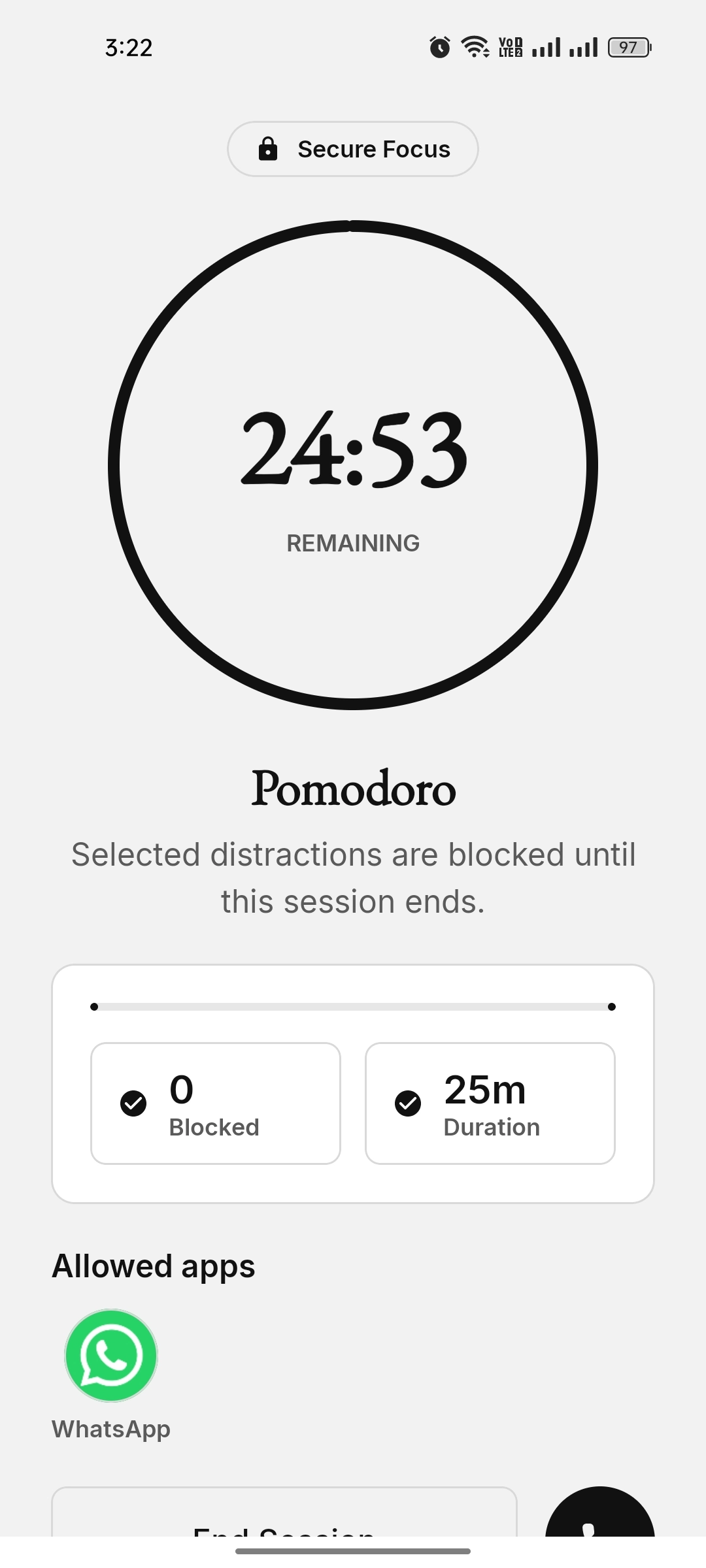
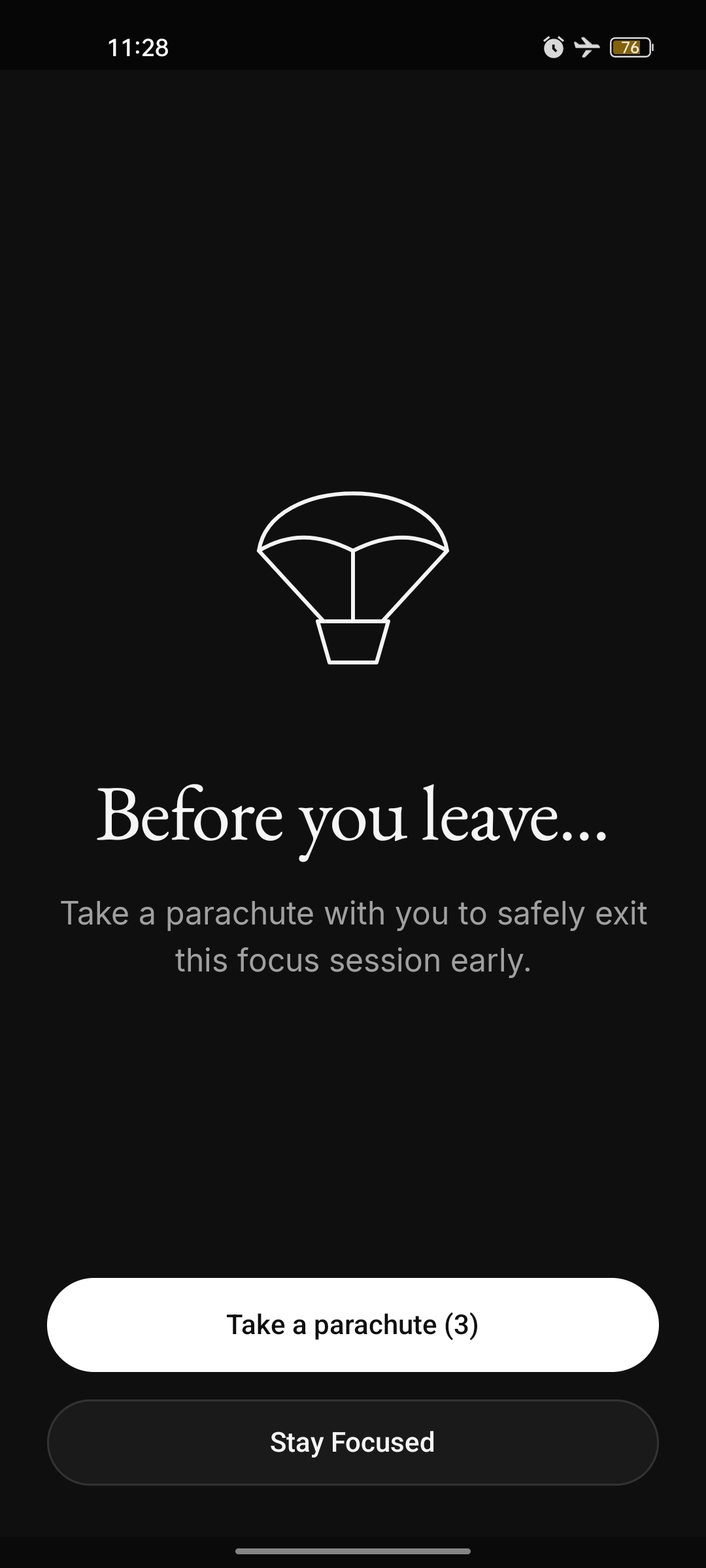
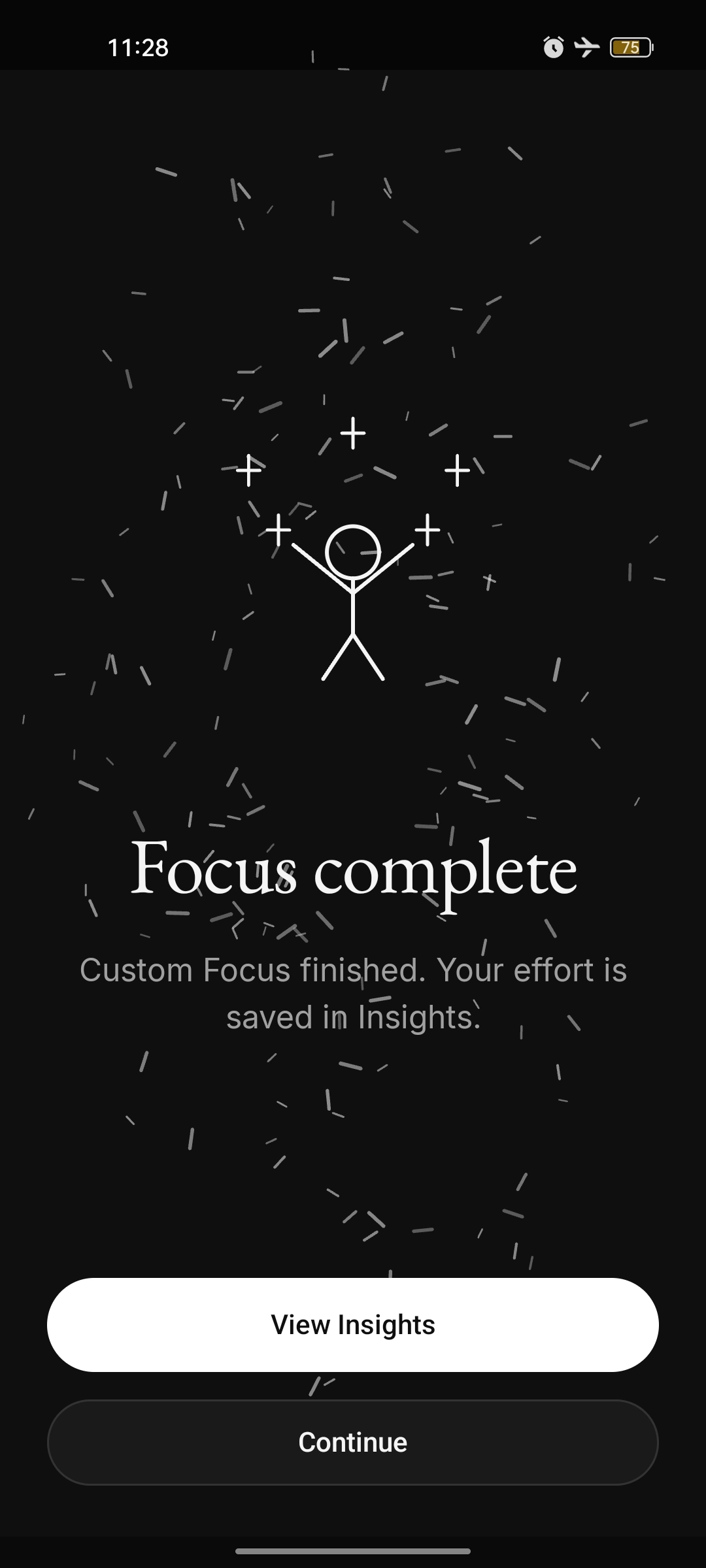
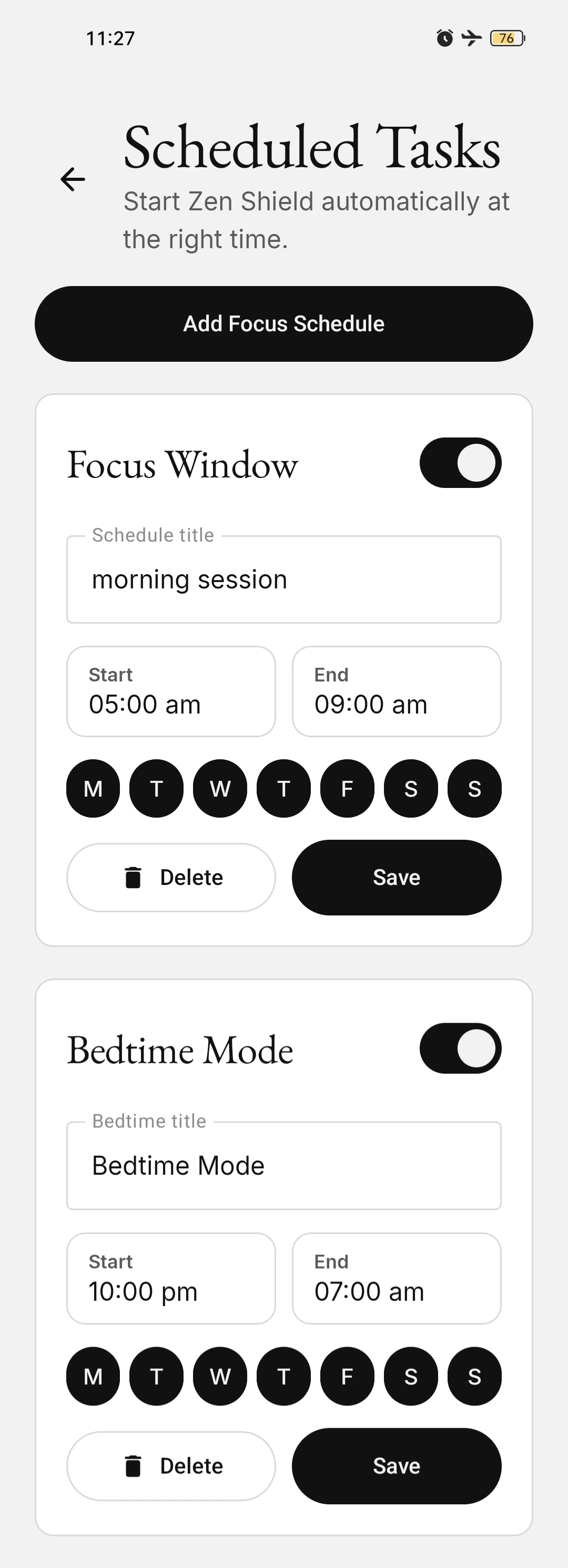
Zen Shield focus is KaiZenly+’s focus protection system. It starts a timed focus session, blocks distracting apps, shows a full-screen Focus Space, lets selected essential apps remain available, and can run automatically through schedules or bedtime mode. During a session, KaiZenly+ can still be used for Habits and Journal while the Focus tab is dimmed, so the user can log the day without ending protection.
Simple app blockers usually focus on manual timers or all-or-nothing locks. KaiZenly+ Zen Shield focus keeps the timer-based blocking core, then adds scheduled focus windows, bedtime mode, and up to 8 allowed essential apps so useful apps can remain available.
Yes. KaiZenly+ lets you add up to 8 installed approved essentials to the Zen Shield allowed-apps list, including WhatsApp, Phone, Messaging/SMS, Gmail, Outlook, Google Keep, AI/productivity tools, and major banking/payment apps where available.
Zen Shield can keep installed approved essentials available: Phone, Messaging/SMS, WhatsApp, Gmail, Outlook, Google Keep, AI/productivity tools, and major banking/payment apps across regions. Broad social and streaming apps are not treated as essentials.
If an essential banking or productivity app is missing, KaiZenly+ includes a request flow inside the app so the user can ask for that app to be reviewed. The website does not publish every supported bank name, but major banking and payment apps across regions are covered where installed.
Zen Shield is designed to add real friction at the moments you usually lose to scrolling. Device Admin protection is required for Zen Shield sessions so the app can lock the device after blocked-app or bypass violations and reduce uninstall-based bypass during an active session. Emergency calls stay available, and approved essentials can remain on your allow-list. KaiZenly+ also treats its own habit and Journal experience differently from distracting apps: you can record what you did, write a note, or check your progress without ending the active focus protection. Zen Shield only shows installed apps that match the approved essential-app policy. It is designed for real-life essentials, not as a loophole for broad social or streaming apps. If your essential banking or productivity app is missing, request it from inside the app.